Bill to Client Tracking Changes
The way bill to client charges is tracked changes with this release.
In previous versions, charges billed to client started on the account and the charge total transferred to the client's account via an "CBILL Invoice" charge record. This does not change.
In the new version, a change occurs for when charges are modified after an account has been billed to a client invoice. Previously, when the client or financial class was changed on an account that had already been invoiced to a client, the credits would be written to the client account billed.
In the new version, charges now have a financial class and client field so that charges can be billed from the original account via multiple methods.
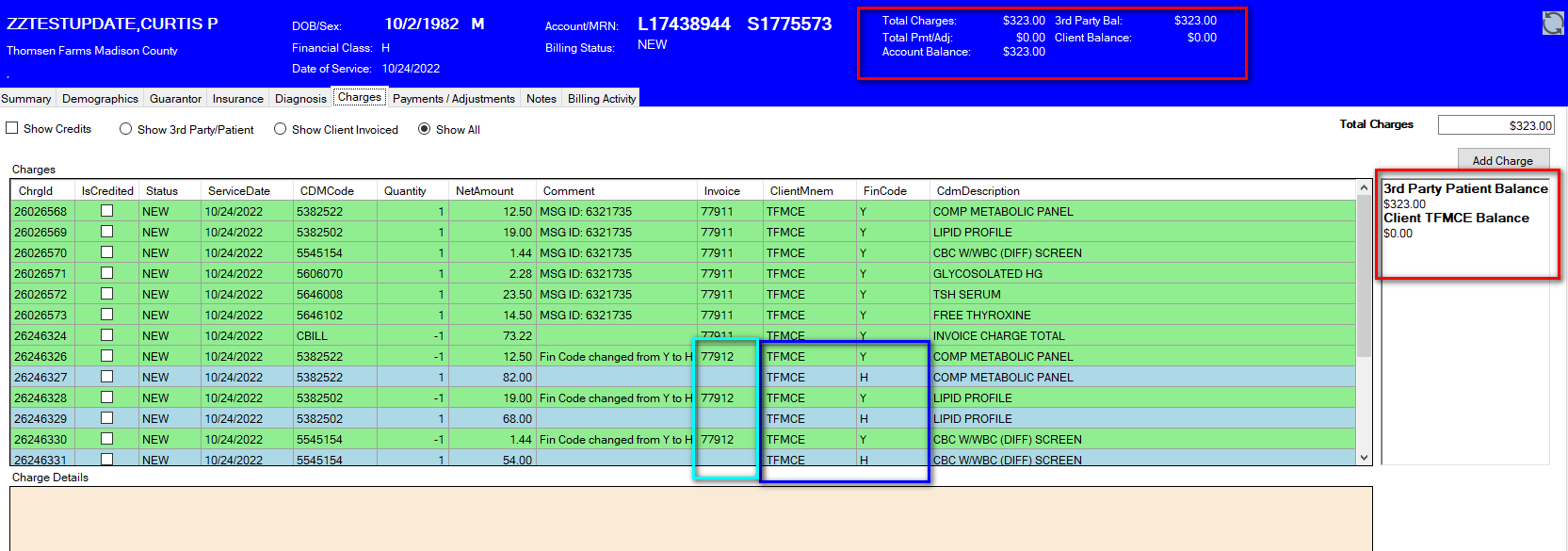
Note the new items in the account management screen.
- In the banner bar, notice the additional balance values. There are now values for 3rd Party Balance and Client Balance. These balances also appear in the text area to the right of the charges grid.
- There is an additional column in the charge grid indicating the client associated with that charge. The financial code on the individual charge will determine how the charge will be billed or posted.
- Charge lines are color coded to indicate the type of charge. Third party/patient charges are light-blue, while bill client charges are green. Credited charges will show red.
- There are filtering options to show all charges, only 3rd Party/Patient charges, or only client invoiced charges.
In the case of the above screen shot, this patient was entered as a Y financial code and subsequently sent an invoice to the client.
After being notified that patient insurance should be billed, the account financial code was changed from Y to H. This resulted in a set of credits to the client for the Y fin code, and new charges with the H fin code.
The credits were applied to the client on a subsequent invoice (77912). The new charges flagged as H will be included on a claim to the patient's insurance.
Global Billing
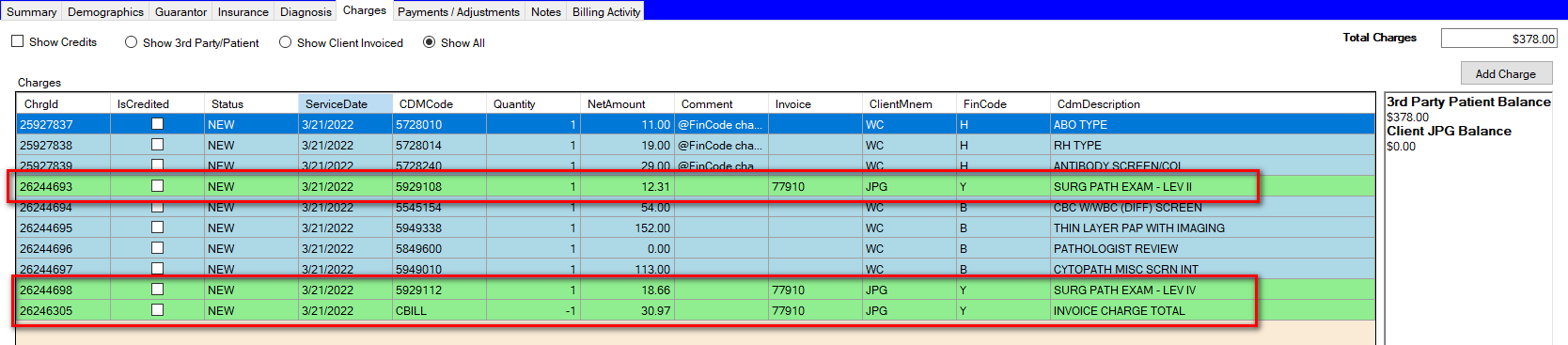
Another change is how global billing to Jackson Pathology Group is handled. In the previous version, the global charges were applied to the patient account and a job run later to credit the global billing charges off the account, creating a new "J" account to invoice the charges to the Jackson Pathology Group.
In the updated version, the global billing charges will be added to the account when charges are posted flagged with the JPG client and Y fin code.
In this screen shot, the charges have just been posted, showing the balance that will be billed to 3rd party and the balance billed to JPG.

In this screen shot, the client invoice to JPG has been generated. The charges now show the invoice number, and there is a CBILL charge record moving the amount to the JPG account. The 3rd party balance remains to be submitted on an insurance claim.